
Blip Cloud · Beta
Your saves, on every handheld.
Play on one handheld, pick up on another. Blip Cloud keeps your emulator saves in step between your devices: a newer save before you play, yours after, and every version kept.
How it works
Set it up once. Then just play.
- 1
Sign in
From Settings › Cloud, with Google or a six-digit code sent to your email. Use the same account on every handheld.
- 2
Grant the saves folders
Each emulator once, through Android’s own folder picker. Blip lists the saves it finds and reads every emulator’s own layout, so there is nothing to set up per game.
- 3
Play
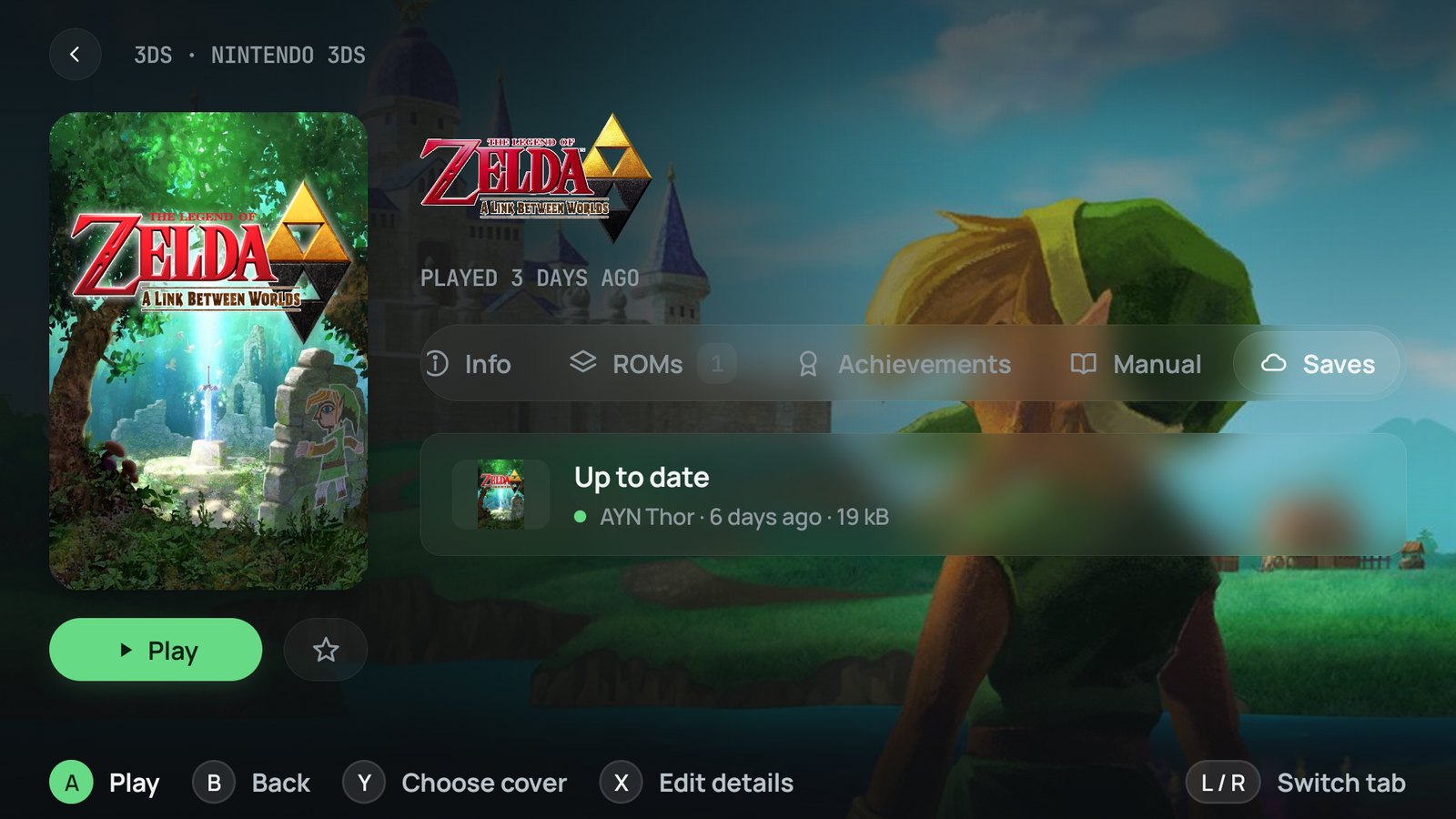
A newer save comes down before a game starts; yours goes up when it closes. Sync now catches the whole library up at once.
Built in
A save is never just overwritten.
- A copy on the device first. Every save a download replaces is kept in Download/Blip/Save backups, the last three of each.
- Ten versions in the cloud. The game page’s Saves tab lists them, and any one can be restored in a press.
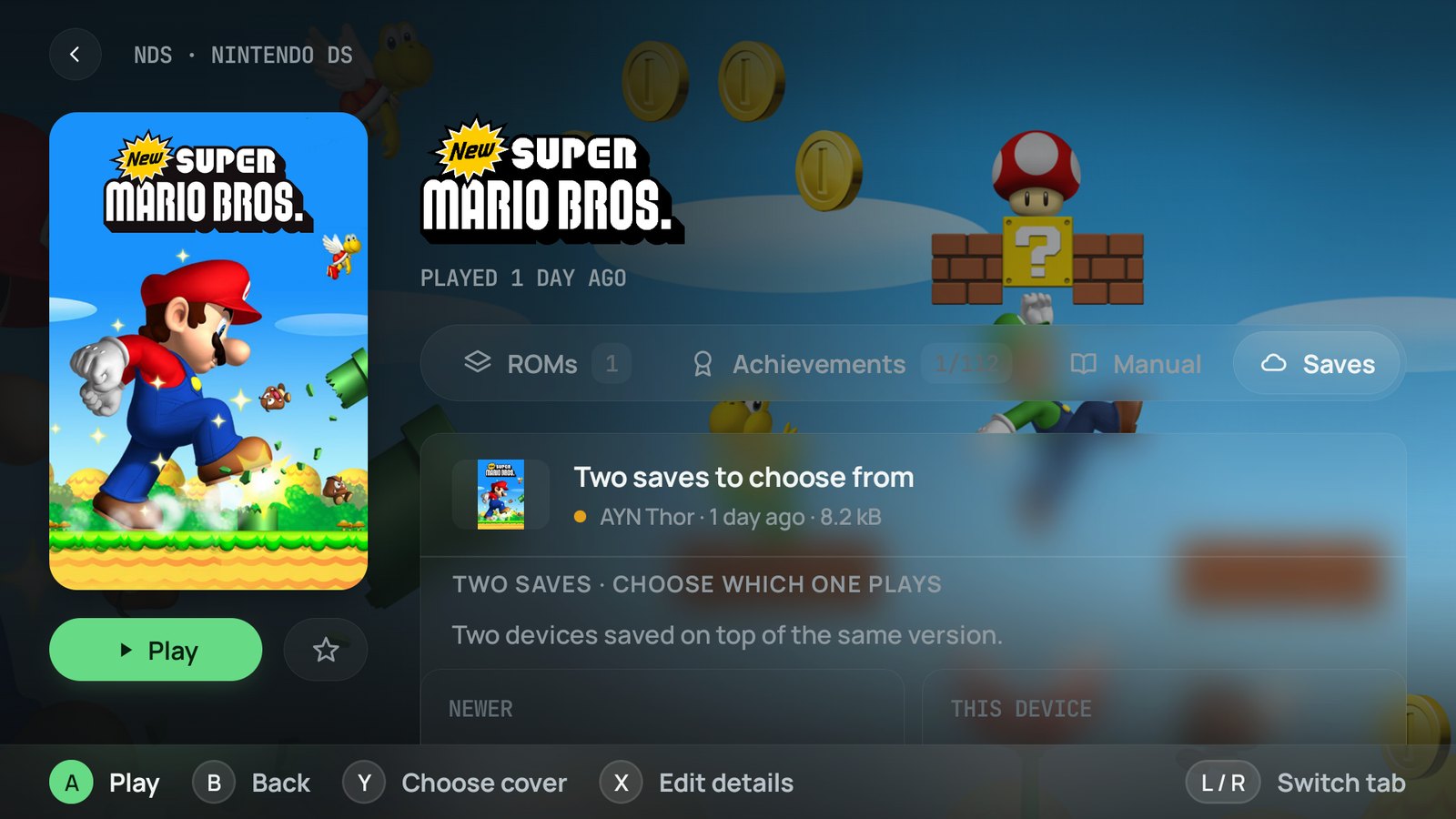
- Two saves, both kept. When two handhelds save on top of the same version, neither wins in silence: you see both and choose.
Emulators
The emulators you already use.
A save follows its game, not a folder path: Blip knows the game by the ROM’s RetroAchievements hash, the disc’s serial or the title id, so your folders can be laid out differently on every device.
- RetroArchits .srm saves, per core or beside the ROM
- melonDSand its forks, WatermelonDS among them
- SeedlessDS
- Mupen64PlusFZ and AE
- PPSSPPand Gold
- Dolphinofficial, handheld and MMJR builds
- Azaharwith Citra, Lime3DS and Mandarine
- Edenand the yuzu family: Citron, Sudachi, Suyu…
- Vita3Kand its forks
During the beta
Free Beta
One plan, no card, no trial. It is a beta: something may break, or a save may fail to sync, so keep your own copy of anything you cannot lose.
- 100 MB for your saves
- Saves and memory cards
- Ten versions of every save
- Your saves at cloud.goblip.co
FAQ
Questions about Blip Cloud.
Is Blip Cloud free?
Yes. While it is in beta there is one plan, and it is free: 100 MB of saves and memory cards, with the last ten versions of each kept. No card, no trial, no subscription.
Do I need Blip Pro?
No. Pro unlocks RetroAchievements and RomM and nothing else. Blip Cloud is free on its own, in the Google Play build and in the APK from GitHub alike.
Does it sync save states?
No. It syncs the saves a game writes itself, and memory cards — the progress you would keep on the real console. Save states stay on the device.
What if I played on two handhelds without syncing?
Both saves are kept. When two devices save on top of the same version, neither one overwrites the other: the game is marked on the shelf, and its Saves tab shows both, with where and when each was made, for you to pick.
Can I go back to an older save?
Yes. The last ten versions of every save stay in the cloud, and any of them can be restored from the game page or from cloud.goblip.co. On top of that, every save a download replaces is copied first to Download/Blip/Save backups on the device, the last three of each.
Do my folders have to match on every device?
No. A save is matched to its game, not to a path: Blip knows the game by the ROM’s RetroAchievements hash, the disc’s serial or the title id. Your ROMs and saves can live in different places on each handheld, and two emulators that write the same format — melonDS and WatermelonDS, Citra and Azahar — share one save.
What happens offline, or on mobile data?
A game never waits on the cloud. If the check before a launch takes a while, Blip says what it is doing and offers to skip it; if it fails, the game starts with the save on the device, and the sync catches up later. With Wi‑Fi only turned on, uploads wait for Wi‑Fi and games start without asking the cloud.
Can I keep using Syncthing?
Yes, the two work side by side. Syncthing mirrors folders between devices that are online together; Blip Cloud goes through a server, follows the game rather than the path, syncs around each session and keeps versions instead of conflict files. If you run both, let one of them own each save folder.
What does Blip Cloud store about me?
Your email address, a name for each device you sign in on, the saves you sync and what identifies their game. Never your ROMs, your library or your settings. It runs on Cloudflare, is not shared or sold, and the privacy policy describes it in full.
How do I delete my account?
From the app, in Settings › Cloud, or at cloud.goblip.co. Deleting it erases everything Blip Cloud holds; the saves on your handhelds stay where they are.
Is it safe to use during the beta?
It is built so a save is never just overwritten, but it is a beta: something may break, or a save may fail to sync. Keep your own copy of anything you cannot afford to lose.
Bring your saves along.
Blip Cloud is in Settings › Cloud of Blip, free on Google Play and on GitHub. See the privacy policy for what it stores.